Vestiaire Collective photo requirements for clothing (2026)
Published 2026-11-01
Vestiaire Collective is a resale marketplace for designer and luxury fashion, and every listing is reviewed by its team before it goes live. The photos do double duty there: they sell the piece, and they are how the buyer and the platform judge its authenticity and condition. This page collects what the Vestiaire Collective help center says about listing photos, with the date we checked each article, and turns it into a shot list for clothing. We make NotShot, an AI on-model photo tool, so we also cover where on-model images fit.
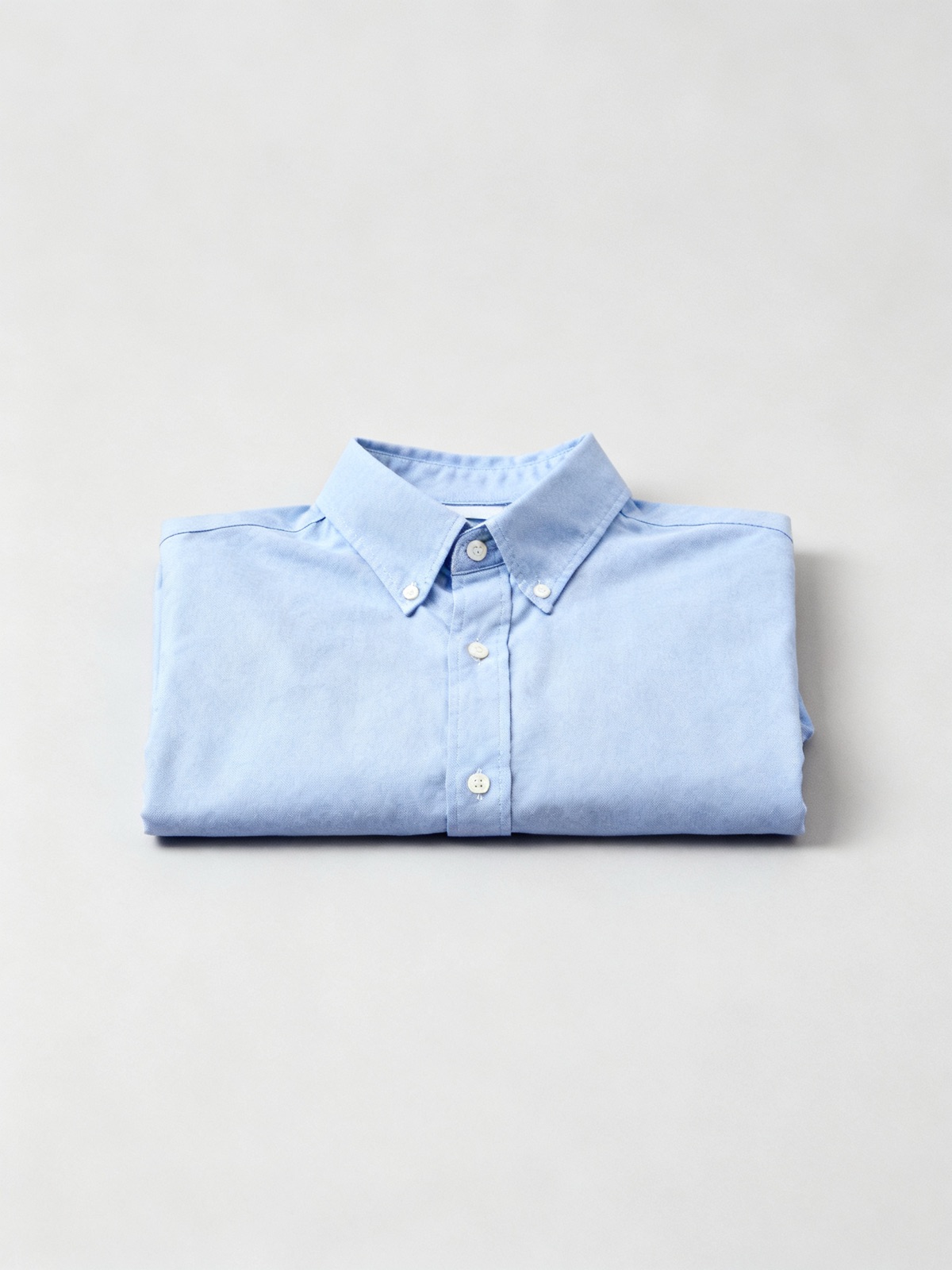
An unworn front view on a neutral background, the kind of shot Vestiaire Collective asks for as the main photo.
How many photos Vestiaire Collective asks for
The help article How to Take Great Photos for Your Listing (checked by us on 1 November 2026) asks for at least 3 photos, and ideally 5 or more. The article Listing an Item for Sale (checked by us on 1 November 2026) repeats the minimum of three well lit photos including defects, with at least 1 photo of the whole item from the front and 1 photo of the brand tag.
The main photo: unworn, front, neutral background
From the photo article:
Whole item, front view: at least 1 photo of the whole item from the front, on a neutral background.
Unworn: the main photo must not show the item worn or on a mannequin, because it will be cropped and used in the catalog.
Nothing else in frame: no external elements such as hands or decor.
Worn shots later: photos of the item worn or on a mannequin are allowed as additional photos, not as the main one.
For clothing, that means lay the garment flat or hang it against a plain wall, front facing the camera, and keep the worn photos for the later slots.
Brand tag and authenticity photos
Vestiaire Collective asks for at least 1 photo of the brand tag, plus other photos that help with authentication. Take different angles to give a 360° view, with close ups of logos, stitching and any defects. For clothing, its suggested details are (checked 1 November 2026):
The external brand label
The internal brand label
The composition tag
The size label
Any engravings on metal parts such as the zip or buttons
Light, format and file size
The photo article says to use as much natural light as possible and avoid glare, so the true colors of the item show. Photos must be in JPEG or PNG format and no larger than 10 MB. Keep liquids out of the photos (checked 1 November 2026).
Images that are not allowed
Under the line "We do not allow images that include:", the same article shows a table (an image, not text) with three columns (checked 1 November 2026):
Abusive content: nudity, violence, images with a hateful or discriminating purpose, and religion.
Image source issues: pictures showing other websites (a URL or logo), pictures from social networks (a logo, username or personal data visible), and pictures from advertising campaigns, fashion shows or runways.
Security issues: pictures with personal contact information, and children.
So the brand's own campaign or lookbook images are out, even for an item that appears in them. Shoot the piece you are selling.
What else is part of the listing
The listing article adds a few points that change what goes in the frame (checked 1 November 2026):
Everything shown is for sale: any item in your photos is considered part of the sale, so remove belts, hangers with logos or accessories you are keeping.
Suits: a women's suit is listed under the Jacket category with the description saying it is a complete set, and a men's suit goes under Suit with both pieces visible.
Review time: each listing is reviewed, usually within 24 hours and up to 48 hours.
App first: new sellers create listings in the app for now.
Smart Listing reads your first 3 photos
The article Smart Listing: List faster just by uploading your photos (checked by us on 1 November 2026) describes an optional, gradually rolling out feature that scans your first 3 photos to fill in the category, brand, color and material. It suggests placing a clear front view and the brand or care label among the first 3 uploads. Photos are sent to an external AI model provider, and Vestiaire Collective says no personal information is shared. You stay responsible for checking the details, and wrong information can lead to the listing being rejected.
Vestiaire Collective photo checklist for clothing
Photo 1: the whole garment from the front, unworn, on a neutral background, nothing else in frame.
Photos 2 and 3: the brand label and the care or composition label, so Smart Listing and the reviewer can read them.
Next: the back, the size label and any engraved zip or buttons.
Close ups: logos, stitching and every defect.
Optional: a worn or mannequin shot, never as the main photo.
Files: JPEG or PNG, 10 MB or less, natural light, no glare.
Leave out: campaign, runway or social media images, anything you are not selling, contact details and children.
For a typical Vestiaire Collective listing, it doesn't. The main photo must show the actual item unworn, the authenticity photos must show its real labels, stitching and hardware, and the condition photos must show its real wear, which an AI render can't do. Your own photos of the piece are the right tool. NotShot is built for brands and shops selling new clothing: it renders your garment on your own model from the product photo you already have, and every render is checked by an AI judge that compares it with your upload for color, print and cut. Renders below the quality bar are refunded automatically, so you pay for photos that pass the check, not for attempts. Plans are on the pricing page.
Questions we get asked
How many photos do I need on Vestiaire Collective?
Vestiaire Collective asks for at least 3 photos and ideally 5 or more, including at least 1 photo of the whole item from the front and 1 photo of the brand tag, plus any defects. Checked on its help center on 1 November 2026.
Can the main photo on Vestiaire Collective show the item worn?
No. Vestiaire Collective says the main photo must not show the item worn or on a mannequin, because it is cropped and used in the catalog. Worn or mannequin photos are allowed as additional photos.
What file format and size does Vestiaire Collective accept?
Photos must be in JPEG or PNG format and no larger than 10 MB, according to its help center, checked on 1 November 2026.
Can I use photos from the brand's website or a runway show?
No. Vestiaire Collective lists pictures showing other websites, pictures from social networks and pictures from advertising campaigns, fashion shows or runways as not allowed.
How long does Vestiaire Collective take to review a listing?
Vestiaire Collective says each listing is reviewed by its team, usually within 24 hours, and up to 48 hours.
NotShot is a Berlin-based tool for on-model product photography without the photoshoot. Try NotShot