Poshmark photo size in 2026: the new 3:4 portrait format
Published 2026-11-01
Poshmark changed how listing photos look in 2026: cover photos are now tall portrait images instead of squares. If your older photos look cropped, or you are wondering what size to shoot now, this page collects what Poshmark itself says, quoted with the date we checked it, and turns it into a shot list for clothing. We make NotShot, an AI on-model photo tool, so we also say plainly when AI photos make sense on Poshmark and when they don't.
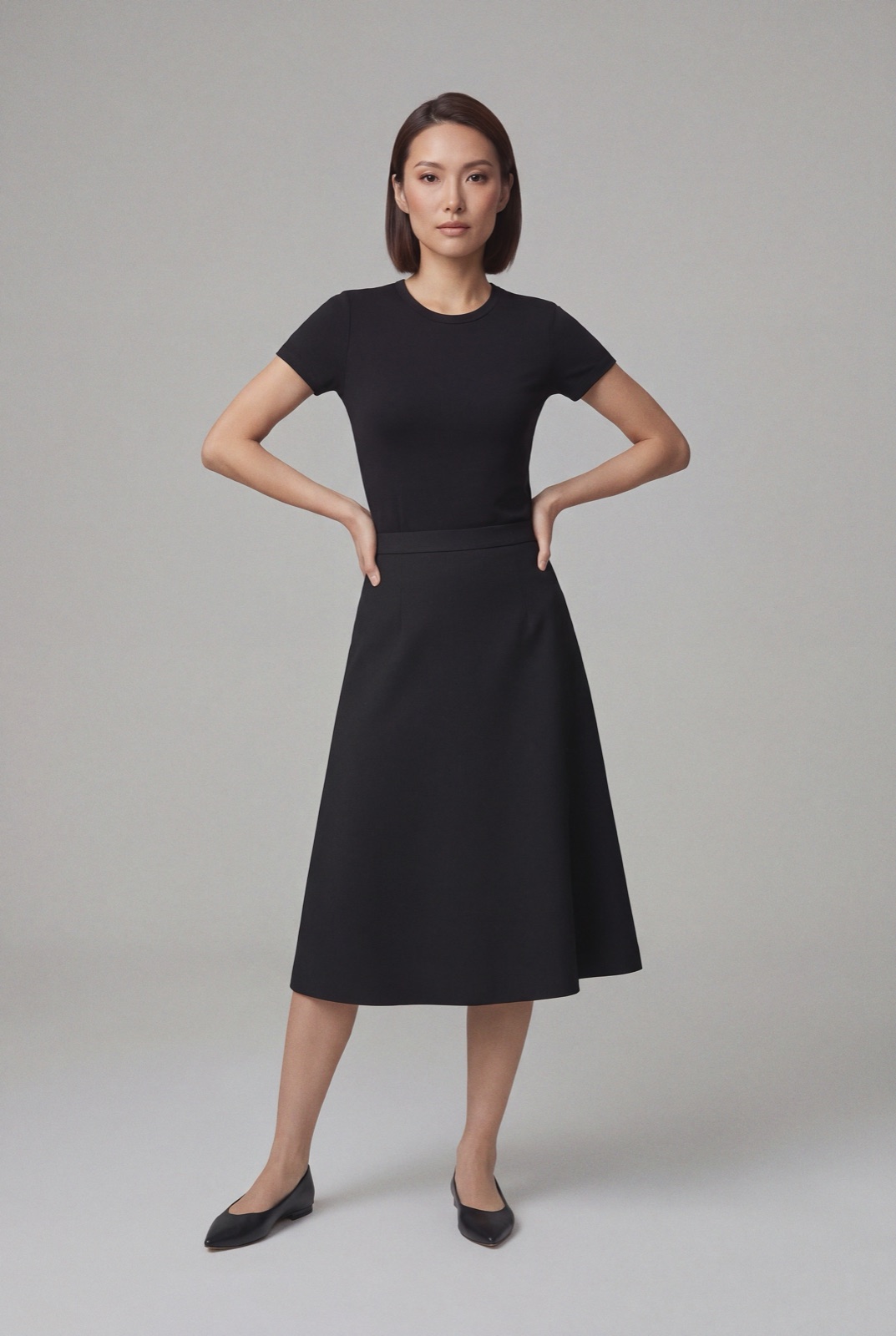
An on-model render made with NotShot, in a tall portrait frame. Full-length items like skirts, dresses and pants gain the most from Poshmark's portrait format.
What changed: 3:4 portrait instead of square
In A New Look for Listing Photos (posted 25 March 2026, last updated by Poshmark on 5 September 2026, checked by us on 1 November 2026), Poshmark says listing photos now appear in portrait format, a 3:4 ratio, across Poshmark. The main points:
Cover photos now display in portrait (3:4) instead of square (1:1).
Existing listings need no action. Photos are automatically framed into portrait view in search and the feed, which may slightly adjust square photos, but shoppers see the full original image when they open the listing.
Updating old cover photos to portrait is optional.
On desktop, photos display in a portrait frame automatically, and you can use the crop and zoom tools to adjust them.
3:4 and 4:3 are the same format; some devices show the portrait ratio as 4:3.
Poshmark says it tested portrait photos with shoppers before the switch and that items like dresses, pants and full outfits now appear larger and more detailed. That makes the change good news for clothing sellers, as long as the photo is framed for it.
Poshmark's Listing Photography Guide from 2020 still tells sellers to crop to square and shoot in 1:1 mode. That advice predates the March 2026 change; for new listings, follow the portrait guidance.
What size to use
The Poshmark pages we checked on 1 November 2026 don't publish a pixel minimum or a file size limit. Their advice is simply to use your phone's default portrait mode, since phone cameras already shoot in 3:4, so no manual cropping is needed.
If you edit photos on a computer first, our suggestion (not a Poshmark rule) is a 3:4 JPEG of around 1500 x 2000 pixels. That keeps the portrait ratio exactly and leaves enough detail for shoppers who zoom into fabric or a flaw.
Poshmark's portrait photo tips, applied to clothing
The same Poshmark post lists tips for portrait photos. Here is what they mean for a garment:
Center the item vertically and horizontally. On a hanger, center the hanger hook above the garment so the whole piece sits in the middle of the frame.
Fill the frame, but leave a slight space at the edges. Poshmark says this frames better across surfaces. For a dress, that means the hem and shoulders close to, but not touching, the edges.
Show the full item. Poshmark says to avoid cutting off key parts like hems, sleeves or straps.
Bright, even light to show true color and detail, and a clean, uncluttered background.
Mix full shots and close-ups, and keep angles consistent across photos for a more polished look.
How many photos, and which ones
Poshmark's How do I list an item? guide (checked 1 November 2026) says the maximum number of photos you can upload is 16, and Poshmark's Listing on Poshmark post (last updated 25 March 2026) says you can add up to 16 photos and 1 video. The 2020 photography guide splits them into two kinds:
Covershot: the first photo and the first impression. Poshmark suggests keeping it product focused on a white or simple background, and choosing one style (flat lay, mannequin, hanging or modeled) and staying consistent so your closet feels branded.
Detail photos: everything after the Covershot. Poshmark suggests the back and front, the item laid out in full, any rips, stains or signs of wear, the tag for sizing, something for scale, and close-ups of texture and details.
A shot list for clothing on Poshmark
Covershot: the full garment, front view, in a 3:4 portrait frame on a white or simple background.
Back view of the same garment.
Worn or on-model photo that shows fit and drape, if you have one.
Tag close-up: brand and size label.
Fabric and detail close-ups: texture, print, buttons, zips.
Flaw close-ups for anything that isn't new.
Measurement photo with a tape across the chest, waist or length.
Optional video of the garment moving, worn or turned.
The Poshmark pages we checked don't mention AI-generated images. Poshmark's own advice centers on photos of the item you are selling, from every angle, with any signs of wear shown up close. So for preloved or vintage clothing, photograph the actual piece. An AI image of a similar item on a model is not a photo of that item.
For new stock, such as a boutique listing new-with-tags pieces, an on-model image can show fit, as long as it shows the real color, print and cut and sits next to real photos of the item.
Where NotShot fits
NotShot is built for brands and shops selling new clothing. It renders your garment on your own model from the product photo you already have, so one flat lay or hanger shot can become a consistent set of on-model images, which also suits Poshmark's advice to keep one style across your closet. Every render is checked by an AI judge that compares it with your upload for color, print and cut. Renders below the quality bar are refunded automatically, so you pay for photos that pass the check, not for attempts. Plans are on the pricing page. If you resell used clothing one piece at a time, your phone in portrait mode and a window are the better tool.
Questions we get asked
What size should Poshmark photos be in 2026?
Poshmark now displays listing photos in portrait format, a 3:4 ratio, so shoot in your phone's default portrait mode. The Poshmark pages we checked on 1 November 2026 don't give a pixel minimum. If you export from an editor, our suggestion is a 3:4 JPEG such as 1500 x 2000 pixels.
Why do my Poshmark photos look cropped?
Since Poshmark's March 2026 update, photos in search and the feed are shown in a 3:4 portrait frame, which can slightly adjust older square photos. Shoppers still see the full original image when they open the listing, and you can update your cover photo to portrait if you want, but Poshmark says it isn't required.
How many photos can I add to a Poshmark listing?
Up to 16 photos and 1 video. The first photo is the Covershot, which shoppers see first; the rest are detail photos for other angles, the tag, texture and any signs of wear.
Can I use AI on-model photos on Poshmark?
The Poshmark pages we checked don't mention AI images. For preloved clothing, photograph the actual piece you are selling. For new stock, an on-model image can show fit if it stays true to the garment and sits next to real photos of it. NotShot's AI judge checks every render against your upload for color, print and cut.
NotShot is a Berlin-based tool for on-model product photography without the photoshoot. Try NotShot