Facebook and Instagram take product images from one place: your Meta catalog in Commerce Manager. The same photos feed your shop on both apps and your catalog ads, so one set of specs covers all of them. This page collects what Meta's own help center and developer documentation say, quoted with the date we checked them, and turns it into a photo set for clothing. We make NotShot, an AI on-model photo tool, so we also cover where on-model images fit.
Meta's help article Product image specifications for catalogs (checked by us on 1 November 2026) says:
Meta's developer reference for catalog fields (checked by us on 1 November 2026) repeats the JPEG or PNG, 500 x 500 and 8 MB rules for the main image, and says a product can have URLs for up to 50 additional images that follow the same specifications.
For clothing, export at least 1024 x 1024. If your on-model photos are portrait, place them on a square canvas with even background on both sides, so the whole garment stays visible in the 1:1 shop view.
Meta says that if your catalog mixes aspect ratios, images may be adjusted automatically in carousel format to keep the cards consistent, and that you can prevent this by providing all images in the same aspect ratio, 1:1 or 4:5 (checked 1 November 2026). Commerce Manager also has catalog-wide cropping settings: fill frame with image (the default, which zooms in), show entire image in frame, or crop and resize to fit, which Meta says works best with white or transparent backgrounds.
The default zoom is the risk for clothing. A full-length dress or a pair of trousers can lose its hem when the frame is filled. Shoot with space around the garment, keep the whole catalog at one ratio, and check a full-length item in a carousel preview before you run ads.
From the same Meta article, checked 1 November 2026:
Meta says that if you replace a product image through a data feed, the new image must have a different URL, or Meta won't recognize the change and refresh it. For the same reason it advises against placeholder images such as "image coming soon" (checked 1 November 2026). For clothing drops, upload the final on-model photos at launch, and give any reshoot a new file name rather than overwriting the old file.
Selling on more channels? See TikTok Shop product image size for clothing, Google Shopping image requirements and Shopify product image size. Want video for Reels? See AI fashion reels from your product photos. Promoting the same pieces on Pinterest? See Pinterest pin size for clothing. For lighting and backdrops, see our clothing product photography guide.
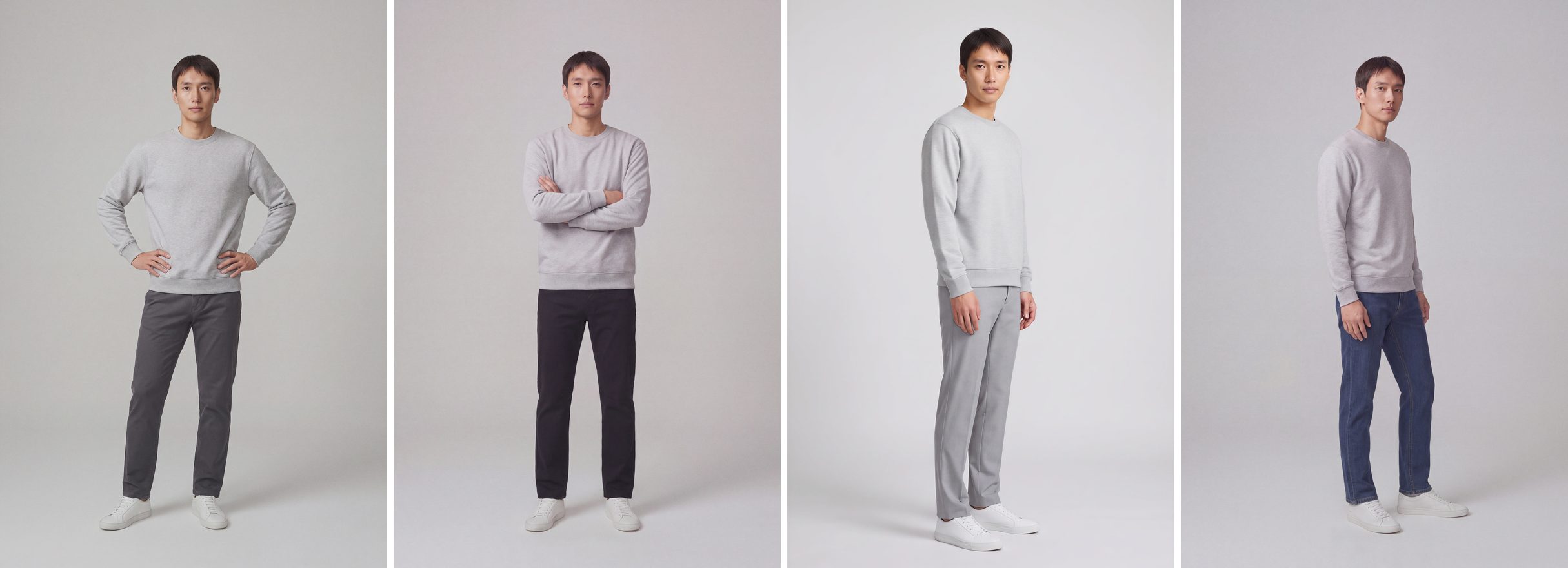
Meta asks for four or more images per product, including people wearing it, and the same images as your website. For a clothing catalog that means an on-model set for every item and every color. NotShot renders your garment on your own model from the product photo you already have, so the shop, the ads and your website can share one consistent on-model set. Every render is checked by an AI judge that compares it with your upload for color, print and cut, so the image accurately represents the product for sale, as Meta requires. Renders below the quality bar are refunded automatically, so you pay for photos that pass the check, not for attempts. Plans are on the pricing page.
