bol is an online marketplace, and fashion is one of its categories. Its seller help site, the Partnerplatform, has a page of image guidelines and a short page of content tips for fashion items. This page collects what those two pages say, with the date we checked them, and turns it into a shot list for clothing. We make NotShot, an AI on-model photo tool, so we also cover where on-model images fit.
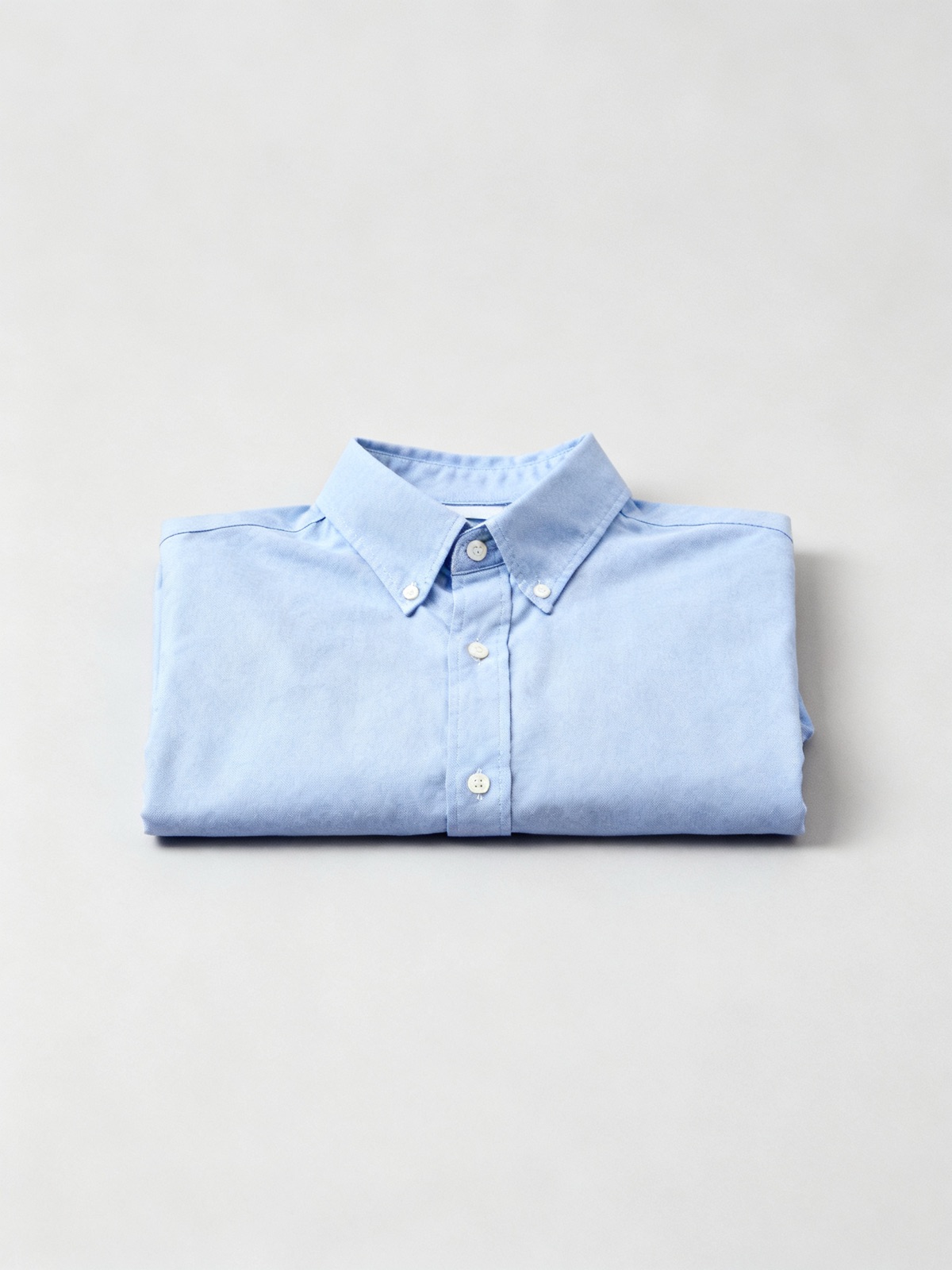
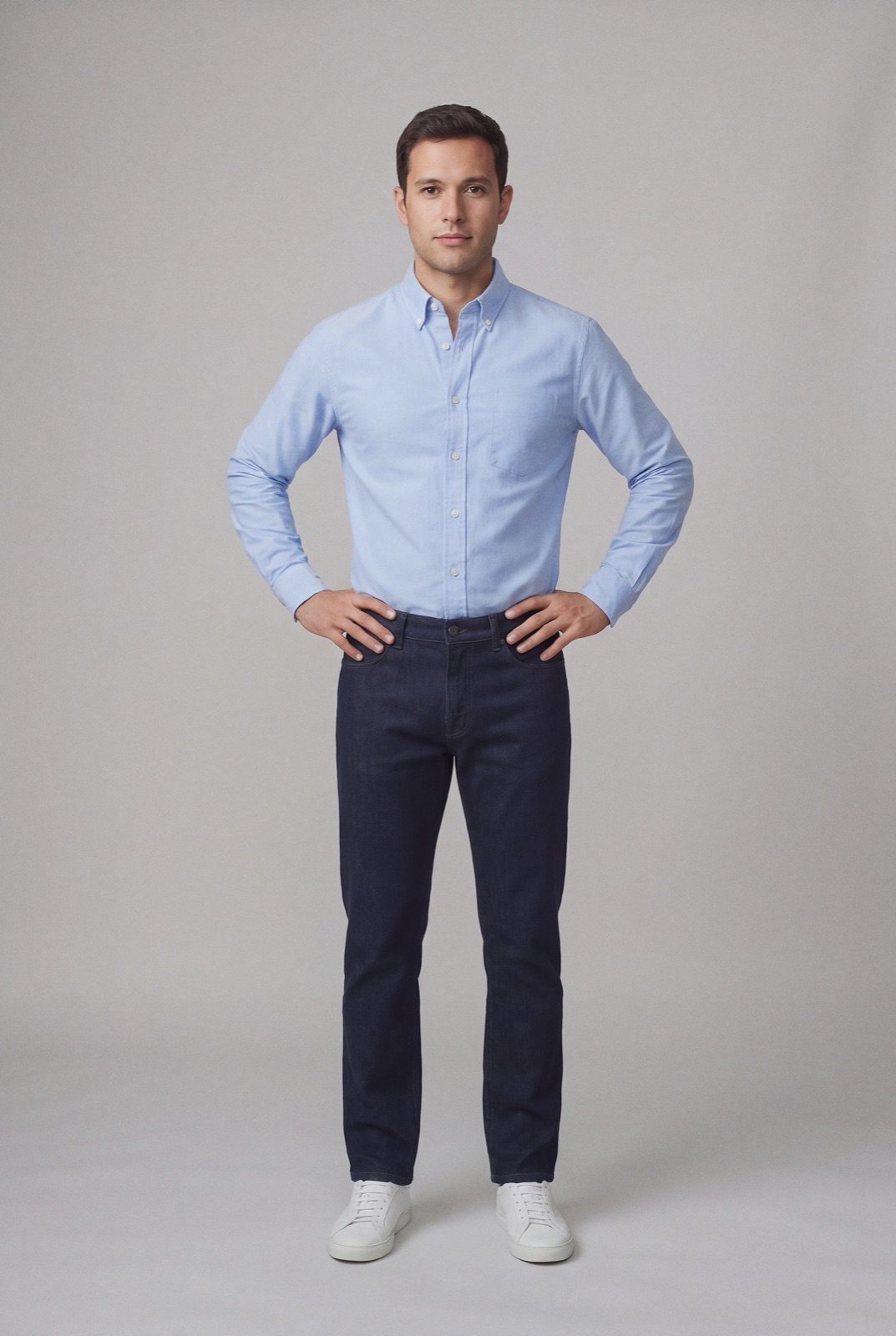
Left: a product photo with no model, the kind of front view bol asks for as the main image (bol wants the background white). Right: an on-model render made with NotShot from that photo.
File size and pixels
bol's page These rules apply to your images (checked by us on 1 November 2026) gives the same technical limits for the main image and for all other images:
File size: at least 30 KB and at most 10 MB.
Pixels: at least 500×500 and at most 6000×6000.
White space: does not count toward the minimum and maximum pixels.
Zoom: the zoom function works with images of at least 1200×1200 pixels.
If an image is outside the minimum or maximum, bol shows an error message. bol also crops white space automatically and processes every image for loading speed, which it says can affect color accuracy and sharpness. A one-to-one duplicate image is not loaded.
The main image
From the same page, the main image must:
Background: be on a white, neutral background with no visible shadows.
No models: not contain models, texts or other statements, and no logos, icons or other watermarks.
Front view: show the front of the item, not a single image combining the front, side and rear views.
Not lifestyle: not be a lifestyle image, and not an illustration, drawing, logo or icon in place of the item.
Out of the packaging: show the item out of its packaging.
For clothing, that means a packshot: the garment flat, on a hanger or as a ghost mannequin, front facing the camera, on white.
The other images
bol asks you to add as many images as possible, showing the item from different perspectives, at least straight from the front and as full frame as possible, plus relevant details. Its photography guidelines also say no models, texts or other statements should be visible, and that the background should be white and neutral with no visible shadows, with the exception of lifestyle images, which bol describes as items in a specific setting. Include only the item and its accessories, meaning only what the customer will receive (checked 1 November 2026).
What bol still enforces
The same page says that from 1 July 2025 bol no longer enforces the image guidelines above, because they are meant to improve visibility on bol and Google and have no direct consequence for the customer. It continues to enforce the rules on self-promotion. Images must not contain:
Discount labels, watermarks, company names or company logos
Stickers from Kieskeurig or Consumentenbond
Promotional elements such as "buy now", "cheap" or "customizable", or service information such as "extended warranty" or "free shipping"
Generic or graphic images and illustrations that are not actual product images
Comparisons with other items, such as products from other partners or other websites
Reviews
bol also says it detects main images with stickers, watermarks or text for Google Shopping and fixes them, either by picking another suitable image from your account or by adjusting the main image. A clean main image avoids that.
Copyright
bol does not permit images from Google Images, references to images on other bol pages, or images that infringe the rights of third parties, including trademark rights and copyright. Content you did not provide yourself may not be used outside bol (checked 1 November 2026). Use your own photos.
Fashion content tips from bol
bol's page Add content for fashion items (checked by us on 1 November 2026) is about text rather than images, but it affects every clothing listing:
Title: leave the size out. bol says an A/B test showed higher conversion without it, and suggests the structure [Brand] [Series/Line] [Gender] [Product Group], then the color.
Manufacturer details: enter the manufacturer's name, full address and electronic address for each item, as required by the EU GPSR.
Season: fill in the seasonal year and collection, so items appear in the right place and don't end up in the outlet unnecessarily.
bol image checklist for clothing
Image 1: the garment from the front, out of its packaging, on white with no shadows, no model, no text.
Size: at least 1200×1200 pixels so zoom works, at most 6000×6000 and 10 MB.
Next: the back and side, then details such as fabric, label and closures.
Only what ships: leave out anything the customer won't receive.
No self-promotion: no logos, discount labels, watermarks, promo text or reviews on any image.
Your own photos: nothing from Google Images or another site.
Not in the main image. bol asks for a packshot there, with no model, so your own product photo on white is the right file. bol's photography guidelines also say no models should be visible in the other images, and bol says it stopped enforcing those guidelines on 1 July 2025, so whether to add on-model images further down the listing is your decision. If you sell the same pieces on your own shop or on marketplaces that use on-model photos, NotShot renders your garment on your own model from the product photo you already have. Every render is checked by an AI judge that compares it with your upload for color, print and cut. Renders below the quality bar are refunded automatically, so you pay for photos that pass the check, not for attempts. Plans are on the pricing page.
Questions we get asked
What size should images be on bol.com?
bol's image guidelines say the file size must be at least 30 KB and at most 10 MB, and the image at least 500×500 pixels and at most 6000×6000 pixels. White space does not count toward those limits, and zoom works from 1200×1200 pixels. Checked on the bol Partnerplatform on 1 November 2026.
Can the main image on bol.com show a model?
No. bol says the main image must not contain models, texts or other statements, must show the front of the item on a white, neutral background with no visible shadows, and must not be a lifestyle image.
Does bol.com still enforce its image guidelines?
bol says that from 1 July 2025 it no longer enforces its image guidelines, because they are meant to improve visibility on bol and Google. It still enforces the rules on self-promotion: no discount labels, watermarks, company names or logos, promotional text, reviews or comparisons in images.
Can I use images from Google Images or another website on bol.com?
No. bol says images from Google Images are not permitted, images must not infringe the rights of third parties, and content you did not provide yourself may not be used outside bol.
NotShot is a Berlin-based tool for on-model product photography without the photoshoot. Try NotShot