OTTO Market image requirements for clothing (2026)
Published 2026-11-01
OTTO Market is the marketplace that lets outside sellers list products on otto.de. Its public site links an onboarding guide for new sellers, a PDF with a short section on media data, meaning the product images. This page collects what that section says, with the date we checked it, and turns it into a shot list for clothing. We make NotShot, an AI on-model photo tool, so we also cover where on-model images fit.
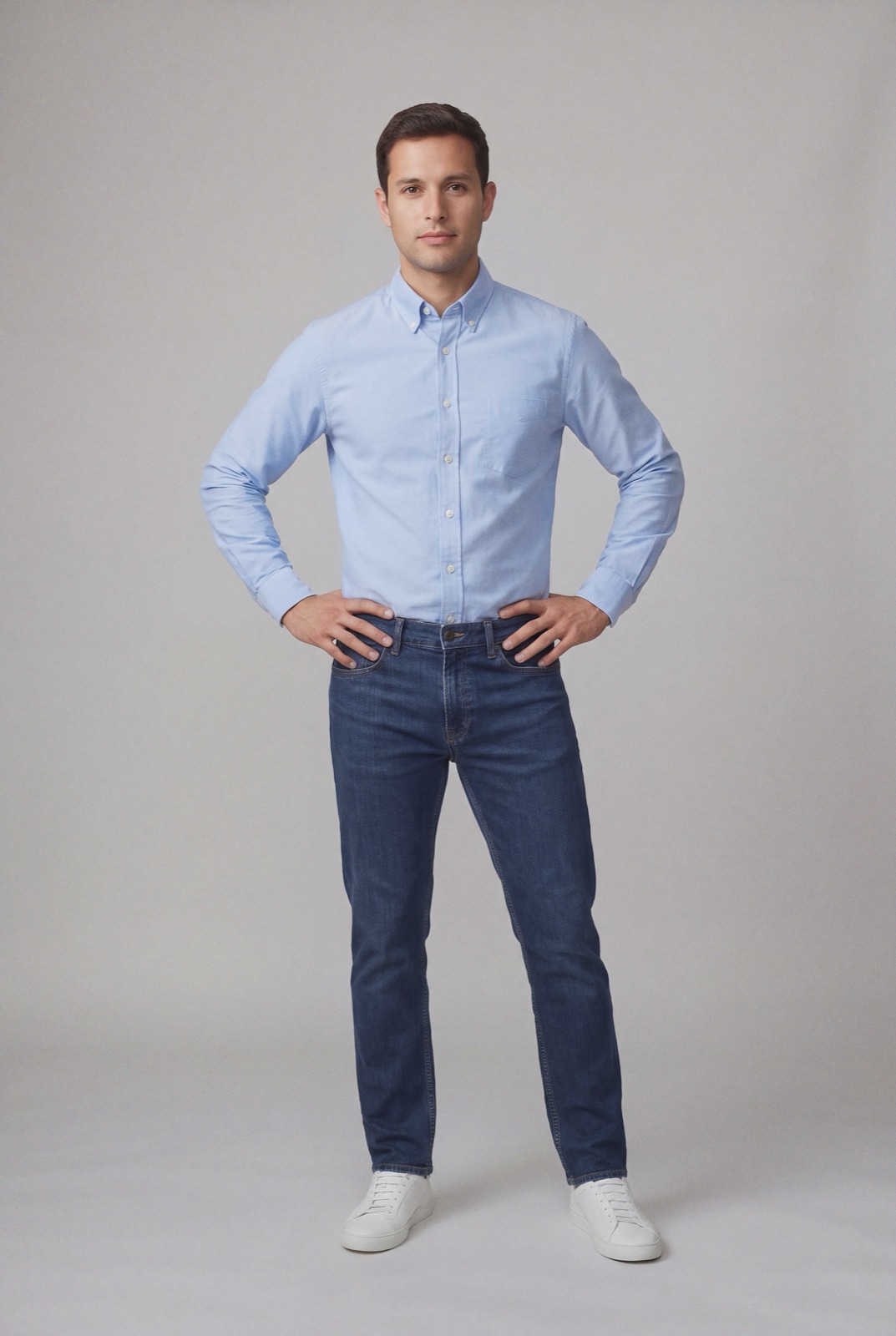
An on-model render made with NotShot on a light gray background. OTTO's guide prefers a cut-out for the main image and otherwise names light gray as one of the accepted light, neutral backgrounds.
Where the rules come from
The source is the OTTO Market onboarding guide (checked by us on 1 November 2026), a German PDF that says it was last updated in January 2024. The quotes below are our translation. The guide also says the articles in the Partner Helpdesk are more current than the guide itself, and sellers reach that helpdesk once they have access to OTTO Partner Connect, the seller portal. If you already sell there, check the helpdesk before a large upload.
Who can sell is a separate page: OTTO's Requirements page (checked by us on 1 November 2026) says your registered office must be in Germany, the Netherlands, Poland, Austria, France or Denmark, and lists the legal forms it accepts.
How many images
From the guide's media data section:
Minimum: a product can only go live with at least one image per variant.
Limit: no more than 10 images per variant, so the images are processed successfully.
Video: the guide says more media types, such as videos and animations, are planned for the future, and that OTTO announces them in the newsfeed on the portal's start page.
If you set up each color as its own variant, each color needs its own images, because the guide asks that every image match its product variant.
Technical requirements
File type: JPG or PNG for product images, PDF for documents.
Minimum size: 480x960 px, as the guide writes it, which also applies to color tiles and energy labels.
Maximum size: a side length of 4500 px.
Color space: RGB only. Other color spaces such as CMYK are technically not allowed.
File name: no special characters or umlauts.
The RGB rule is the one that trips up files exported for print. If your photographer delivers CMYK files, convert them to sRGB before upload.
Content requirements
Only the product: the image may only show the product that matches the description, and must match its variant.
Main image: should be a cut-out (Freisteller in German, the product isolated from its background). Otherwise it needs a light, neutral background, for example light gray, white, off-white or light beige.
Fill the frame: the product makes up 85 percent of the image area.
Props: use few or no props, and make clear that any props are not included in the delivery.
Energy labels: energy efficiency details are submitted as data, not shown in the product images.
For clothing, that means a garment that fills the frame on a cut-out or a pale backdrop, with accessories either left out or clearly not part of the sale. The guide does not say anything about models either way.
OTTO Market image checklist for clothing
Image 1: the garment as a cut-out, or on light gray, white, off-white or light beige, filling most of the frame.
Per color: at least one image for every variant, each showing that exact color.
Count: no more than 10 images per variant.
Files: JPG or PNG, RGB, at least 480x960 px, no side longer than 4500 px.
File names: plain letters and numbers, no umlauts or special characters.
Props: few or none, and never anything that looks like it ships with the garment.
Check the helpdesk: the Partner Helpdesk is more current than the January 2024 guide.
OTTO's onboarding guide sets no rule about models, so whether your images show the garment on a cut-out or on a person is your call, as long as the background of the main image stays light and neutral and the garment fills the frame. NotShot renders your garment on your own model from the product photo you already have. Every render is checked by an AI judge that compares it with your upload for color, print and cut. Renders below the quality bar are refunded automatically, so you pay for photos that pass the check, not for attempts. Plans are on the pricing page.
Questions we get asked
What size should product images be on OTTO Market?
The OTTO Market onboarding guide gives a minimum of 480x960 px for images, also for color tiles and energy labels, and a maximum side length of 4500 px. The guide says it was last updated in January 2024. Checked on otto.market on 1 November 2026.
Which file types and color space does OTTO Market accept?
Product images must be JPG or PNG, and documents PDF. Only images in the RGB color space can be processed; the guide says other color spaces such as CMYK are technically not allowed. File names must not contain special characters or umlauts.
How many images can I upload per variant on OTTO Market?
At least one image per variant is needed for a product to go live, and the guide says a limit of 10 images per variant should not be exceeded so the images are processed successfully.
What background should the OTTO Market main image have?
The guide says the main image should be a cut-out (Freisteller in German). Otherwise it should have a light, neutral background, such as light gray, white, off-white or light beige, and the product should fill 85 percent of the image area.
NotShot is a Berlin-based tool for on-model product photography without the photoshoot. Try NotShot