How to photograph clothes for eBay (2026 photo rules and tips)
Published 2026-11-01
On eBay, your main photo is what buyers see next to your title in search results, so it does most of the selling. This page collects eBay's own photo rules and tips, quoted with the date we checked them, and turns them into a simple shot list for clothing. We make NotShot, an AI on-model photo tool, so we also say plainly when AI photos make sense on eBay and when they don't.
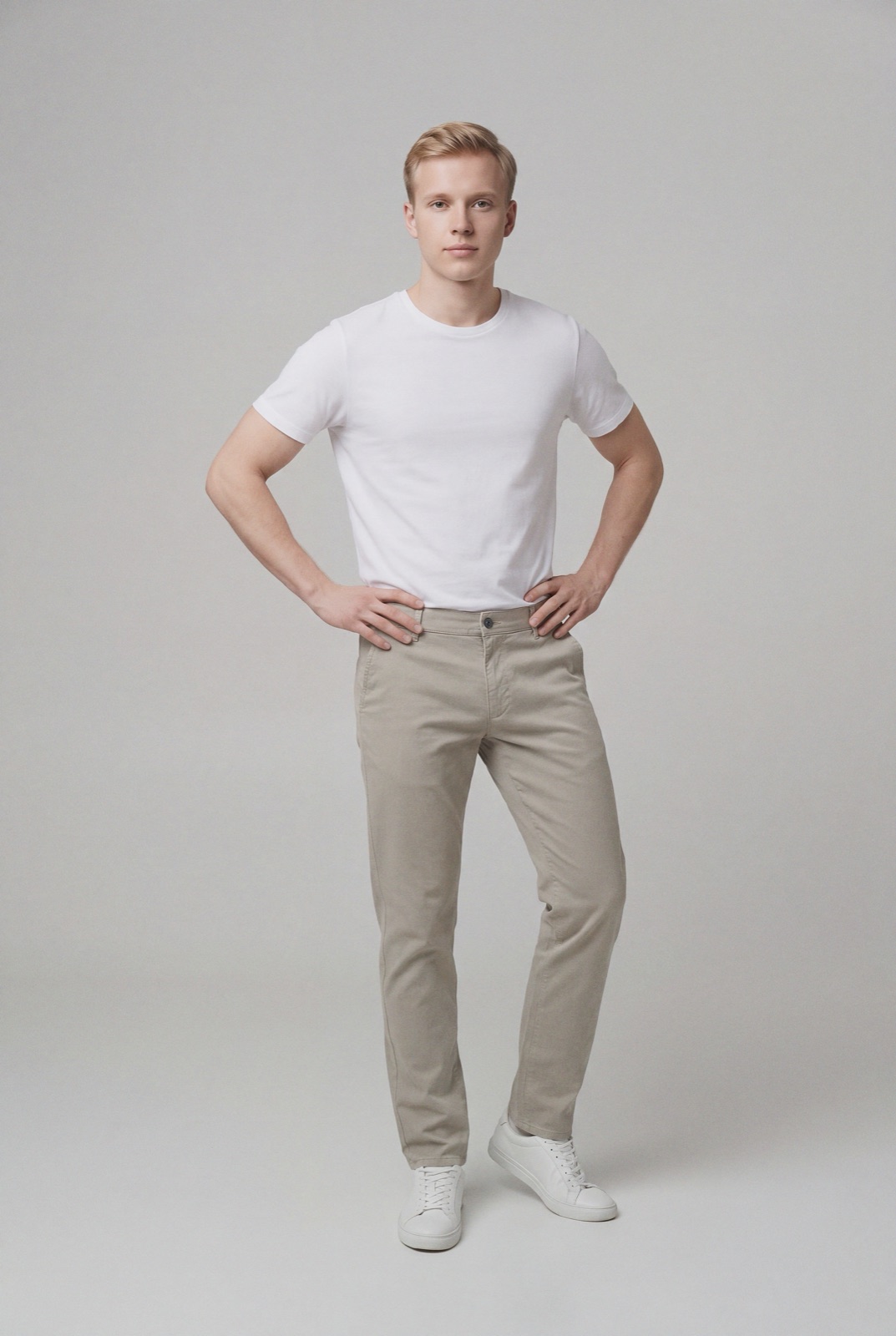
An on-model render made with NotShot. For new stock it can sit in your gallery next to real photos of the item; for used clothing, photograph the actual piece.
What eBay requires
eBay's picture policy says every listing needs at least one photo that is at least 500 pixels on the longest side. It does not allow photos that don't accurately represent the item, placeholder images, stock photos for used, damaged or defective items, added borders, added text, artwork or marketing material, or watermarks of any type (eBay picture policy, checked 1 November 2026). Listings that break the policy can be removed or hidden.
Size, count and file types
eBay's help page on adding pictures gives the practical numbers (eBay Help, adding pictures, checked 1 November 2026):
You can add up to 24 pictures per listing. The first one is the main photo shown in search results.
The minimum is 500 x 500 pixels, but eBay recommends about 1600 x 1600 pixels so photos stay sharp when buyers zoom.
Each file can be up to 12MB. Accepted formats are JPEG, PNG, GIF, TIFF, BMP, WEBP, HEIC and AVIF.
Photos in a 1:1 or 16:9 aspect ratio generally look best across listings and search results.
For clothing, a square 1600 x 1600 export is the simplest choice: it meets the recommendation and crops cleanly in search.
eBay's photo tips, applied to clothing
The same eBay Help page lists tips for better photos. Here is what they mean when the item is a garment:
Neutral, uncluttered background. eBay says white backgrounds are generally best. A white wall or a sheet of white card works for flat lays and hanger shots.
Steady camera. eBay suggests a tripod, or the camera on a flat surface with the shutter timer. This matters for clothing, where blur hides fabric texture.
No flash or harsh overhead light. eBay recommends avoiding both to reduce glare. Soft daylight from a window shows true color, which is what buyers check most on clothes.
Main photo shows the whole item face-on. For a shirt or dress, that is the full front, nothing cut off.
Show flaws up close. eBay asks for clear close-ups of any flaws or imperfections to set expectations and prevent returns. On clothing, that means pilling, stains, pulled threads or a faded spot.
Show scale. eBay suggests a coin or ruler when size isn't clear. For clothing, a measuring tape laid across the chest or along the inseam does the same job.
One item or a bundle, clearly. For a single item, the main photo should not show other variations. For a bundle, the main photo should show every piece included.
eBay's listing tool also has a background enhancement option that can replace a background with solid white, and the eBay app adds AI-generated backgrounds (eBay Help, checked 1 November 2026). For lighting and backdrop setups in more depth, see our clothing product photography guide.
A shot list for clothing on eBay
Main photo: the full garment, front view, on a white or neutral background.
Back view of the same garment.
On-model or worn photo that shows fit and drape, if you have one.
Label close-up: brand, size and care label. Buyers search by brand and size, and the label proves both.
Fabric and detail close-ups: texture, print, buttons, zips, stitching.
Flaw close-ups for anything that isn't new.
Measurement photo with a tape across the chest, waist or length.
The eBay pages we checked don't mention AI on-model images specifically. The rules that apply are accuracy and stock photos: photos must accurately represent the item, and you can't use catalog or stock photos for used, damaged or defective items. So for preloved or vintage clothing, photograph the actual piece you are selling. An AI image of a similar item on a model is not a photo of that item.
For new stock, the case is different. A brand selling new garments can add on-model images to show fit, as long as they show the real color, print and cut, and sit next to real photos of the item. Keep them clean: no added text, badges or watermarks, which eBay doesn't allow either.
Where NotShot fits
NotShot is built for brands and shops selling new clothing. It renders your garment on your own model from the product photo you already have, so one flat lay or hanger shot can become a consistent set of on-model images. Every render is checked by an AI judge that compares it with your upload for color, print and cut, which is the accuracy eBay's policy asks for. Renders below the quality bar are refunded automatically, so you pay for photos that pass the check, not for attempts. Plans are on the pricing page. If you resell used clothing one piece at a time, your phone and a window are the better tool.
Questions we get asked
What size should eBay photos be for clothing?
eBay requires at least 500 pixels on the longest side and recommends about 1600 x 1600 pixels, with files up to 12MB. A square 1600 x 1600 JPEG works well for clothing. Checked on eBay Help on 1 November 2026.
How many photos can I add to an eBay clothing listing?
Up to 24. The first photo is the main photo shown in search results, so make it the full garment, front view, on a plain background. Most clothing listings are well served by around seven: front, back, on-model or worn, label, details, flaws and measurements.
What is the best background for photographing clothes for eBay?
eBay says white backgrounds are generally best, in an uncluttered space. Use soft daylight and avoid flash or overhead lighting, which eBay notes can cause glare.
Can I use AI on-model photos on eBay?
eBay's picture policy requires photos that accurately represent the item and bans stock photos for used, damaged or defective items. For used clothing, photograph the actual piece. For new stock, on-model images can show fit if they stay true to the garment and sit next to real photos of it. NotShot's AI judge checks every render against your upload for that reason.
NotShot is a Berlin-based tool for on-model product photography without the photoshoot. Try NotShot